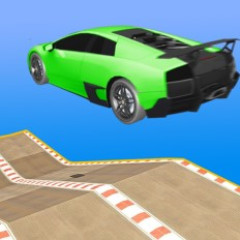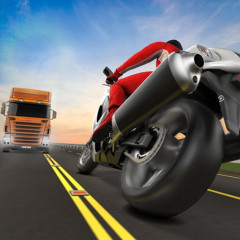
Racing Limits gives you an incredibly realistic driving experience with simulated views and steering. Start the game and show off your driving skills now.
Both Racing Limits and Traffic Jam 3D offer a realistic driving experience on crowded roads, but Racing Limits stands out thanks to its cockpit view and detailed reward system after each race.
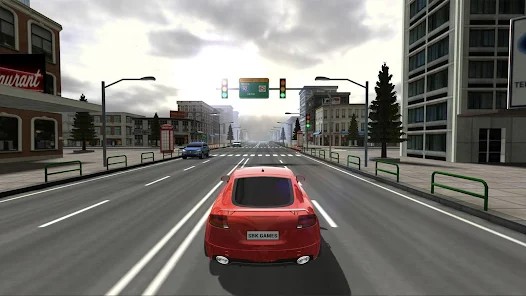
The special thing that makes Racing Limits stand out from other racing games of the same genre is its authenticity and variety of experience modes:
First-person view: Gives the feeling of sitting in a real cockpit, clearly seeing the steering wheel, speedometer, and the scenery on both sides of the road.
Vivid graphics and lighting effects: Every scene - from the city during the day to the highway at night to the sunset - is recreated in extreme detail.
Realistic physics: The car responds smoothly to each steering wheel, sudden braking, or acceleration, making the player clearly feel the inertia and speed.
Many attractive game modes, such as Career Mode, Infinite Mode, Time Against, and Free Mode, are suitable for both players who love challenges and those who want to drive for fun.
Flexible car customization and upgrade: Players can adjust the speed, braking system, or gearbox or choose their favorite paint color to create their own style.
All of these elements make Racing Limits not only a speed racing game but also the most realistic and dramatic driving experience in the street racing genre.
To play this game well, you need to know the following control keys and reward system:
In Racing Limits, players will control their car with the keys on the keyboard according to the following instructions:
This controller helps you easily master the steering wheel and enjoy the feeling of realistic and flexible racing on every road in Racing Limits.
After each level in Racing Limits, players will receive bonuses based on the achievements during driving, including:
Distance: The longer the distance, the more bonuses you get. Each kilometer helps add to the total score.
Speeding: Maintaining a high speed for a long time will help you get more bonuses. This bonus is bigger if you run steadily without colliding.
Overtake: Each successful overtaking of another car on the road will bring more money. Overtaking close to the car without colliding helps the bonus score increase faster.
Opposite Lane: If you dare to drive into the opposite lane, you will be rewarded with extra money. But be extremely careful not to crash into the opposite car.
Mission Completed: When you complete the mission, go the right distance, reach the required speed, or finish on time, you will receive the biggest reward.
All the above rewards will be added together to Total Money Earned. Save the bonus money through many levels to be able to unlock new cars, upgrade speed, brakes, and nitro in the next races.