Grow a Garden is a simulation game set on a large farm. Here, players will be free to grow any plants, take care of the garden, and expand their world.
This game and Steal a Brainrot both have the same unique graphic style, with fun and vivid pixel art.
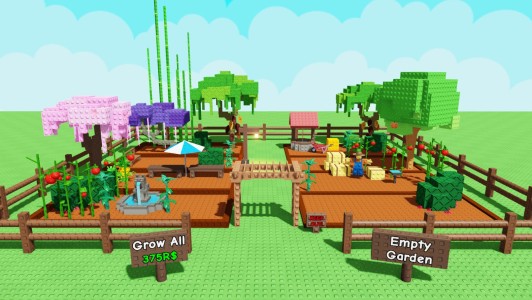
Grow a Garden has an item shop that is the center for upgrading and personalizing characters for players. The shop updates daily items every day, keeping the game fresh. The categories include:
To start your farming journey in Grow a Garden, you need to understand two important parts, including the list of tasks to be done and the basic farming operations as follows:
The first task you need to do in Grow a Garden is to buy seeds and agricultural products on your land. Then harvest crops and sell agricultural products to earn more money.
Upgrade your character to increase harvesting speed and garden care ability.
Go to the Item Shop to see discounted items in the Daily Items section.
Spin the Spin of the Day to receive random rewards.
Decorate the garden to get a higher aesthetic score.
Move: Use the WASD keys or arrow keys to move the character around the garden.
Interaction: Use the left mouse button or E key to sow seeds, water, harvest, or open a shop.
Shop menu: Open with the Item Shop icon in the corner of the screen.
Prioritize planting plants with short harvest times to quickly turn over capital.
Always use Daily Spin rewards to get rare characters or speed-up items.
Save gems instead of spending them early to buy strong characters like Samurai or Bloop.
Place plants of the same type close together for easy management and to save travel time.
Once you have stable capital, invest in expanding the land instead of just upgrading the plants.