FNAF is a unique and incredibly engaging psychological horror game. Start the game and participate in a survival challenge at Freddy Fazbear’s Pizza restaurant.
The game FNAF attracts a large number of players thanks to many appealing elements.
First and foremost is the tense horror atmosphere. The game is set in a dark restaurant. Sounds like footsteps or knocking on doors suddenly appear, keeping players in a constant state of anxiety.
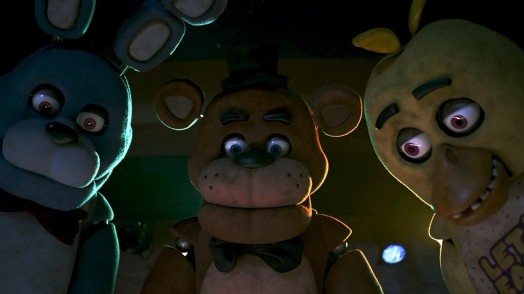
The animatronic characters like Freddy, Bonnie, and Chica in this game are designed with bizarre faces, easily startling players whenever they appear.
FNAF also impresses with its simple yet intense gameplay, revolving around monitoring cameras, opening and closing doors, and controlling the amount of electricity.
To help the character survive 5 nights in this restaurant, you need to know the following tasks and game controls:
FNAF and Horror Run both have a dark game color scheme that provides a horror experience for players. In FNAF, players take on the role of a night shift security guard at Freddy Fazbear’s Pizza restaurant. Your main objective is to survive five days and nights, from midnight to 6 AM. You need to prevent the animatronics from accessing the security room and attacking you, while also managing energy wisely to maintain the security system until your shift ends.
Left-click the Camera Monitor icon at the bottom of the screen to turn the camera system on or off.
Select individual cameras on the map by clicking to switch the viewing angle between areas such as CAM 1A, 1B, 2A…
Left-click the Light button on the left or right to turn the corresponding hallway lights on/off.
Click the security room door to close it when necessary.
Since energy will decrease when using cameras, lights, or doors, players should limit unnecessary actions to survive longer.